Deep granular synthesis with a clear, approachable workflow.
Per-Voice Grain Cloud
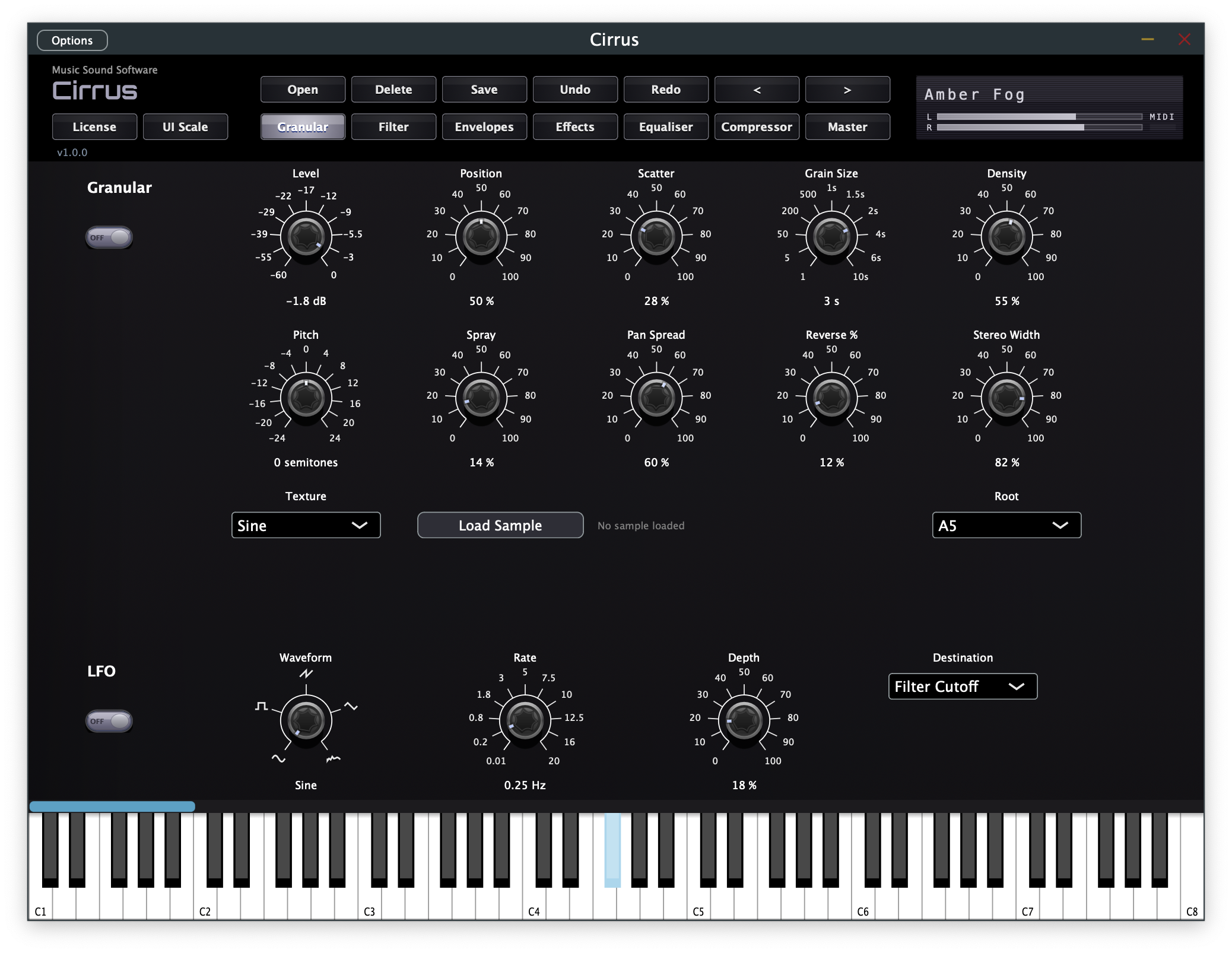
Each of up to 16 polyphonic voices runs its own independent GrainCloud capable of generating up to 64 simultaneous grains — real-time granular synthesis with true polyphonic depth.
Core Grain Parameters
Position sets the read-head start point in the source buffer. Scatter randomises it per grain for organic movement. Grain Size controls duration (1–500 ms). Density sets how many grains spawn per second.
Spatial & Pitch Shaping
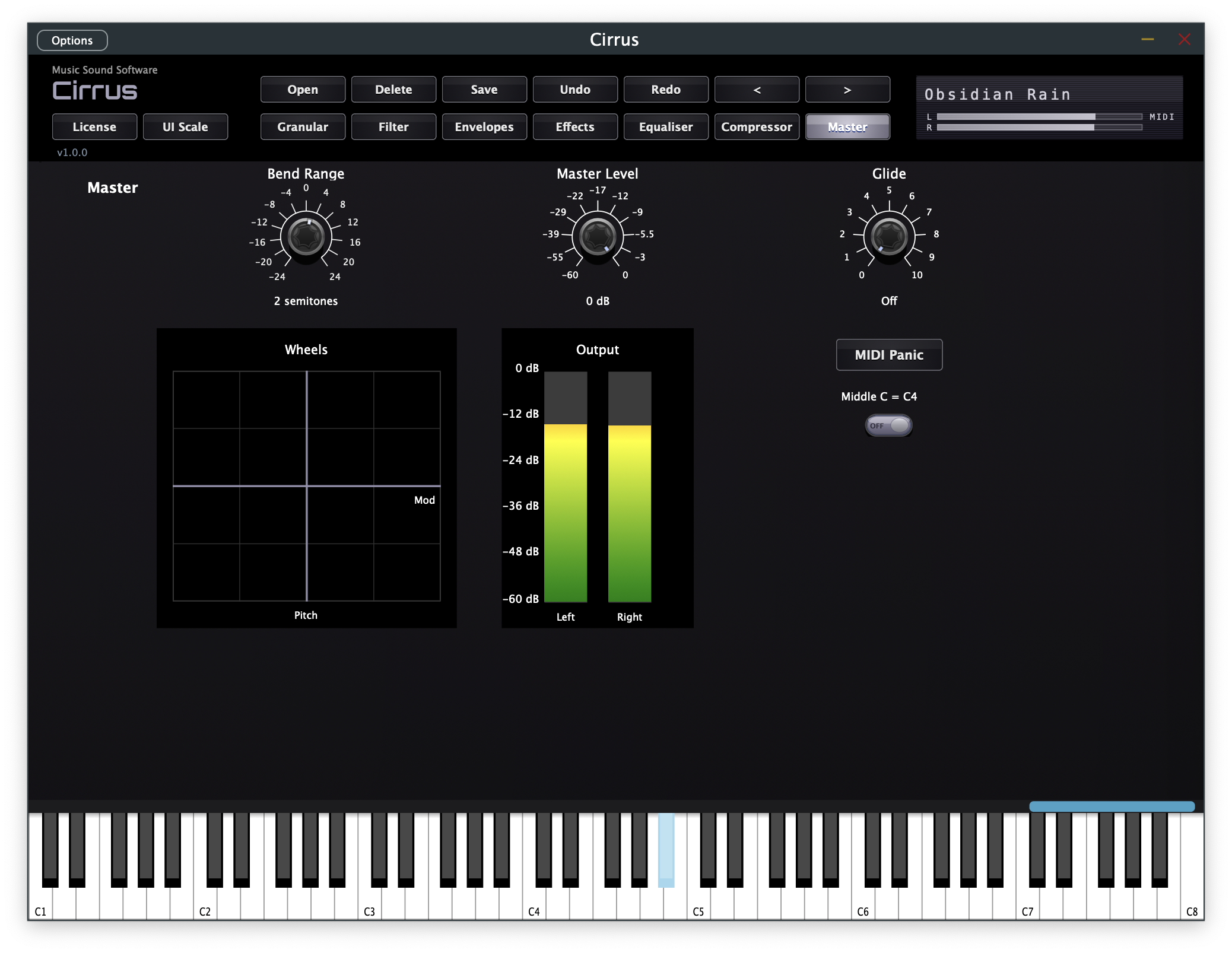
Pitch offsets and per-grain Spray add melodic or chaotic pitch variation. Pan Spread, Reverse %, and Stereo Width shape the spatial character of the cloud. Portamento/glide, pitch bend, and mod wheel built in.
40 Built-in Textures
Forty waveform textures across six categories provide the raw material for your grain cloud — Original waveforms, Harmonic/Additive, Pulse/PWM, Hybrid/Cross-waveforms, Noise/Texture, and Exotic/Special — covering everything from smooth sines to gritty, complex timbres.
Custom Sample Loading
Load your own audio sample as a custom grain source with a user-defined root pitch — turning any recording, field recording, or synthesized sound into a unique granular instrument.
LFO & Modulation
An LFO with five waveform shapes can target grain position, pitch, grain size, density, pan spread and filter cutoff for evolving, animated textures. Mod wheel depth is routed through the LFO for expressive real-time control.
State Variable Filter
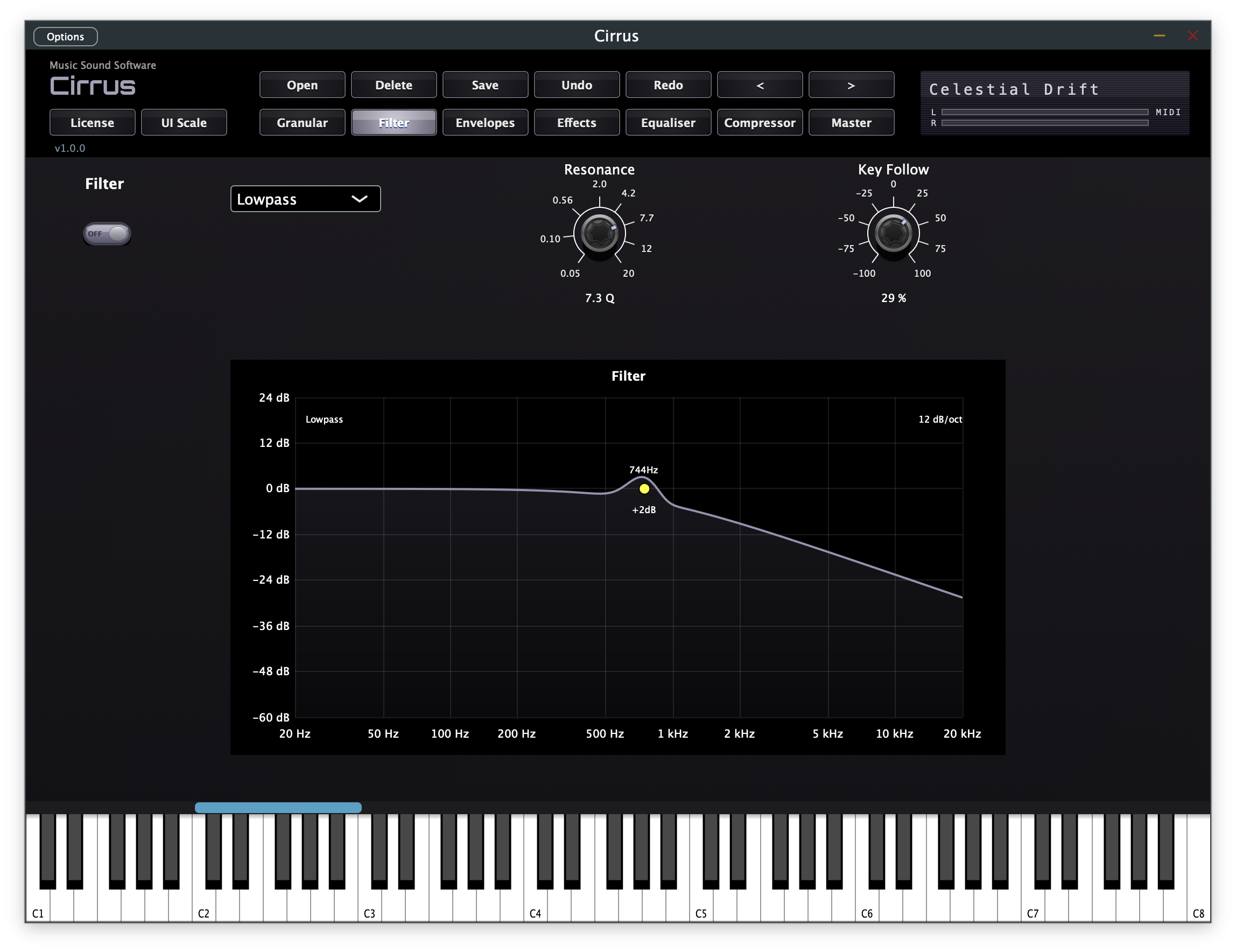
A resonant State Variable Filter with key follow shapes the tonal character of each voice, with an interactive visual curve display. A dedicated Filter EG with full ADSR control shapes the filter over time.
Amplitude Envelope
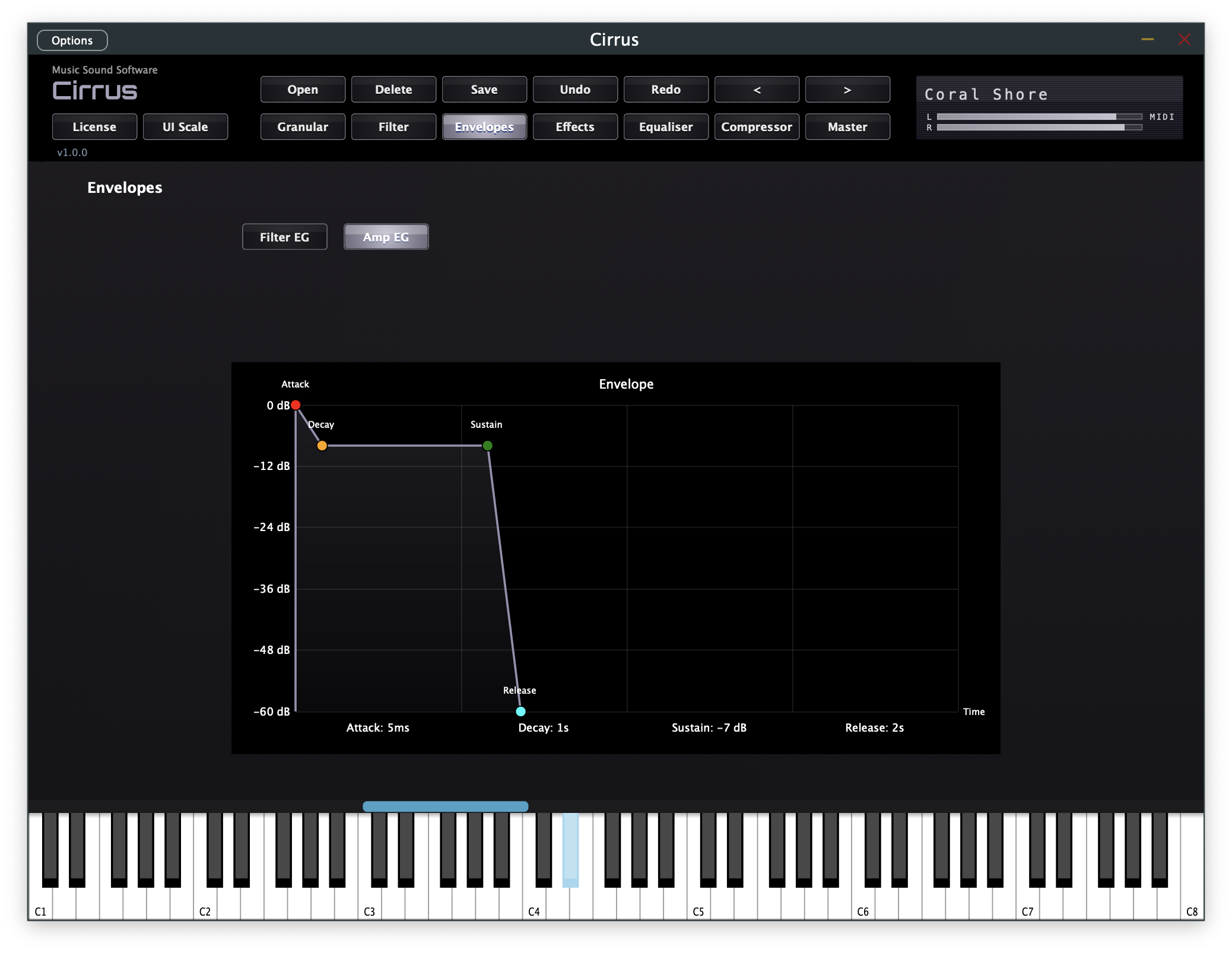
A separate Amplitude EG with full ADSR control — accessible via an interactive visualiser so you can draw and see your envelope shapes directly.
Global Effects Chain
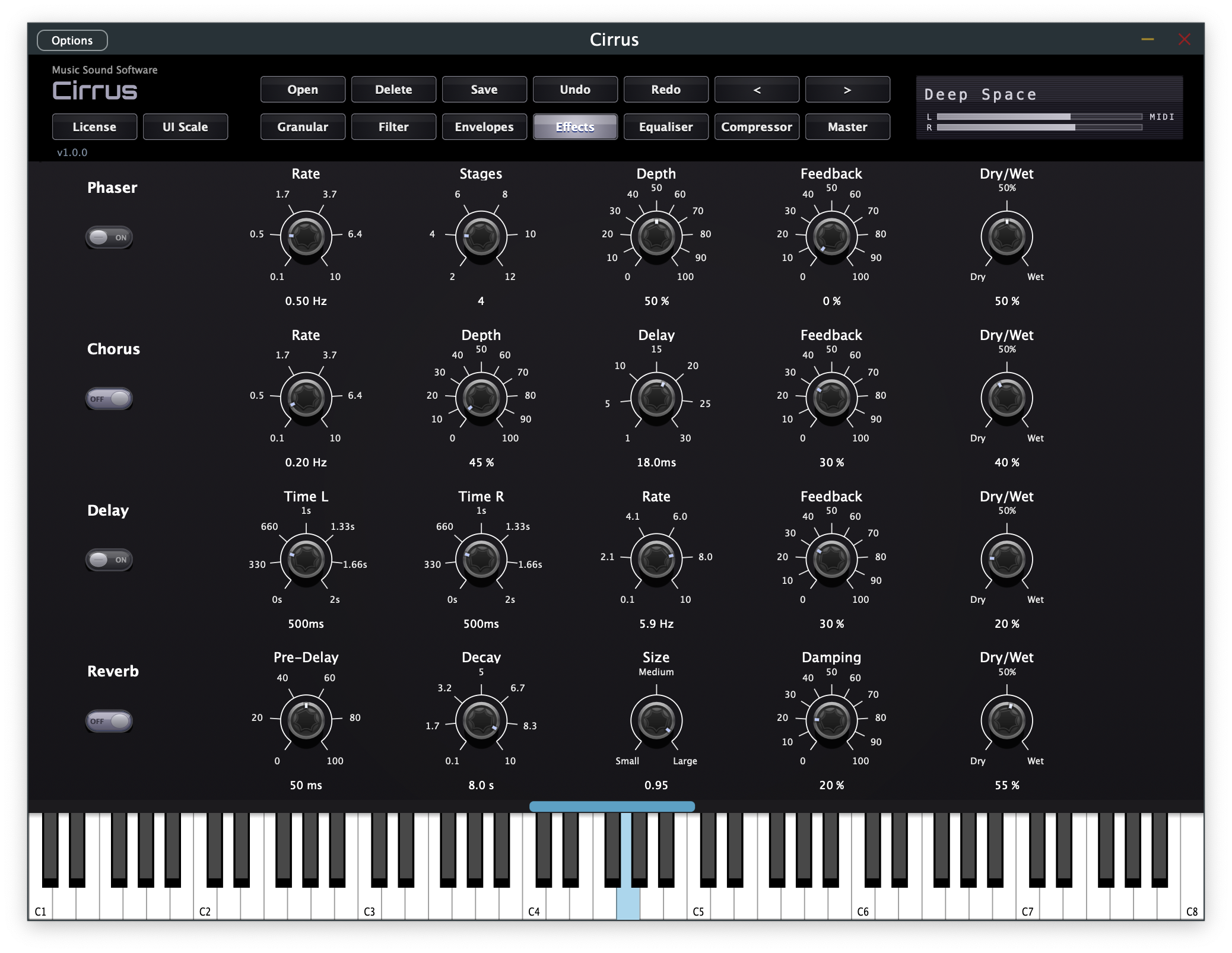
Phaser, Chorus, stereo Delay, and Reverb — each with detailed controls and wet/dry mix — run globally after the granular engine for final polish and space.
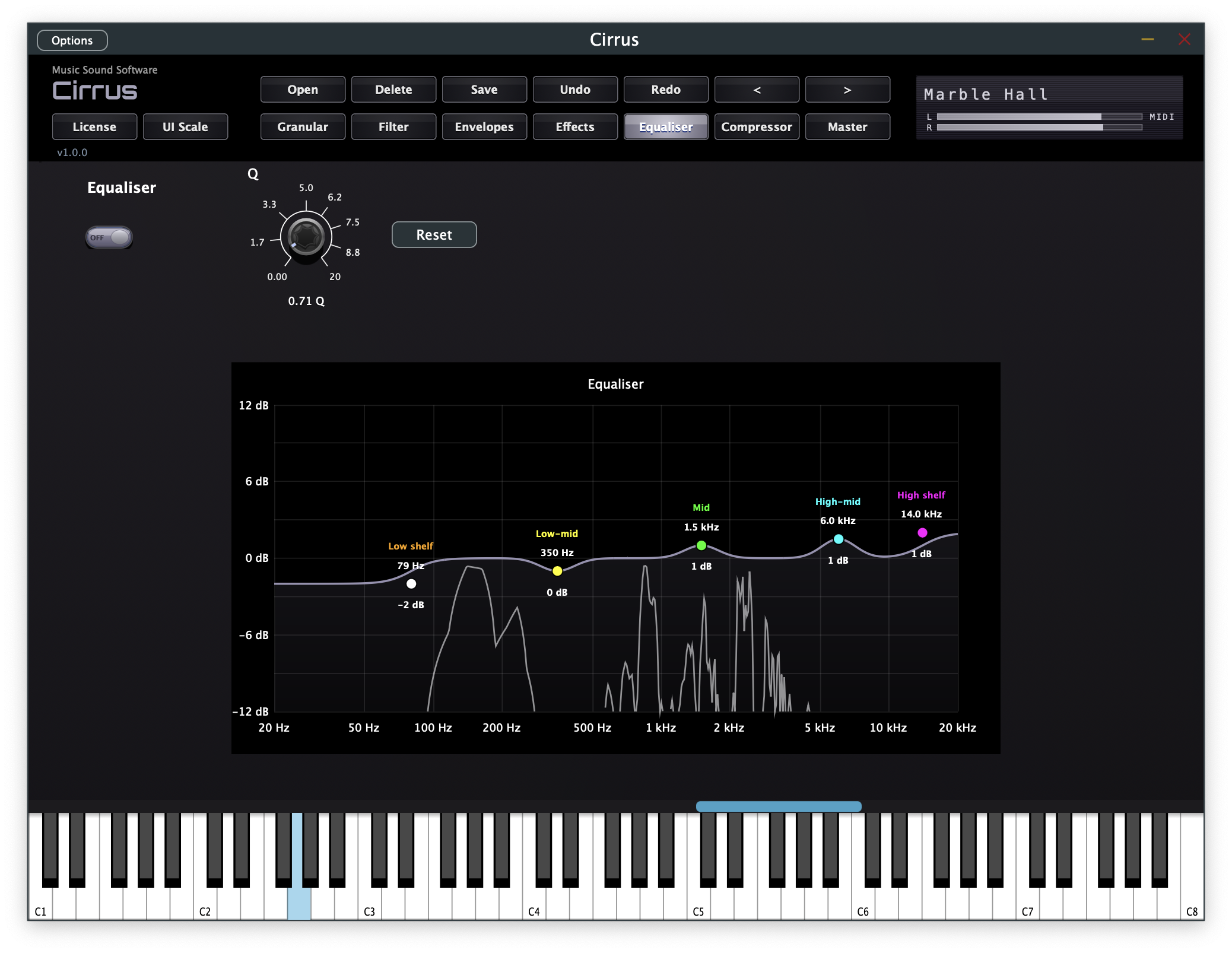
5-Band Parametric EQ
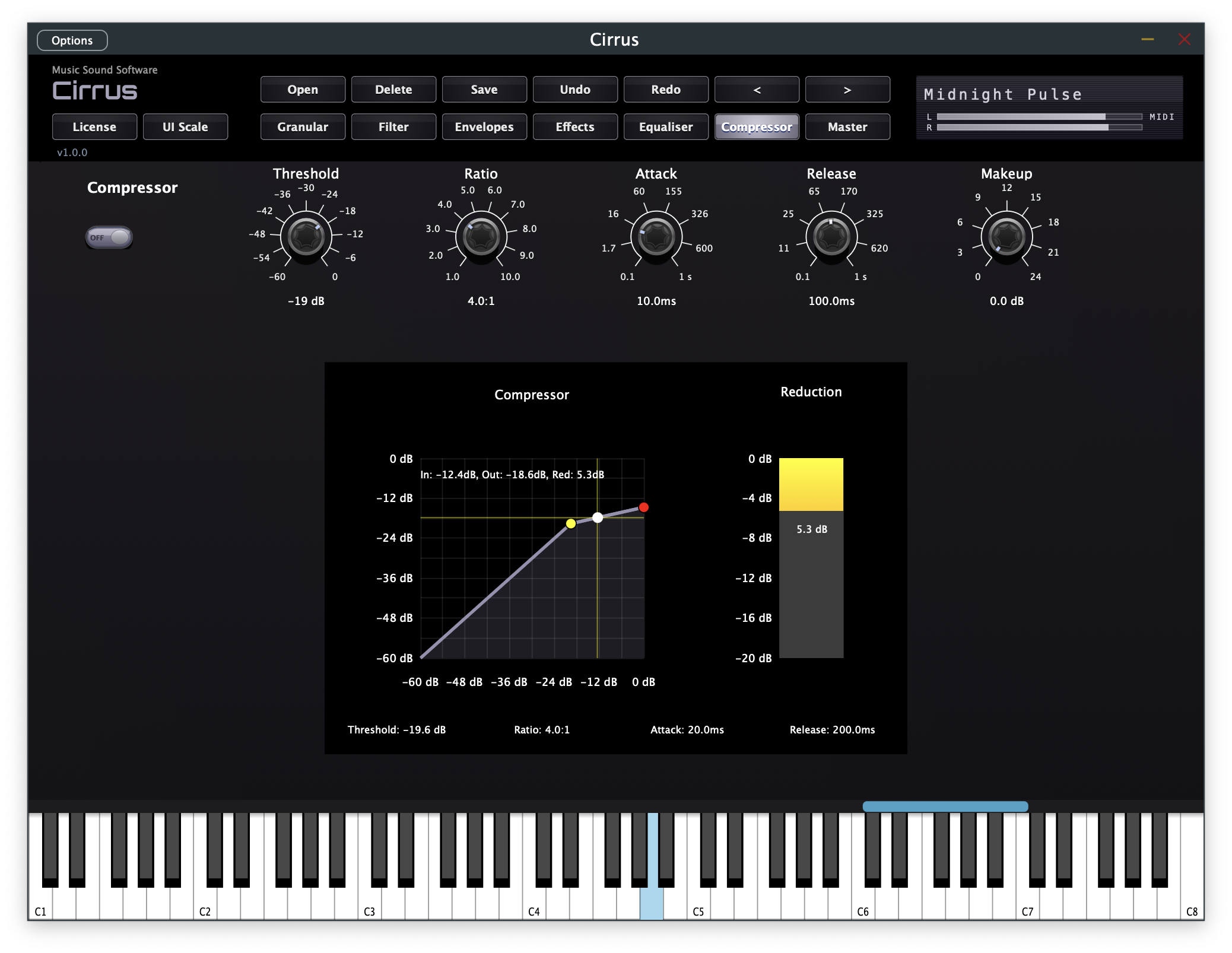
A 5-band parametric EQ with interactive visual curve display lets you shape your tone precisely. The built-in compressor includes real-time input/output metering and a visual gain reduction display.
Animated Grain Cloud Visualiser
Every active grain is shown as a particle in real time — positioned by source location, brightening at peak amplitude, and colour-tinted by pan position. You always see exactly what the grain cloud is doing.
99 Factory Presets
Ready to play from the moment you load it up — covering evolving pads, atmospheric textures, granular leads, rhythmic clouds, and more. Save, load, and manage your own presets with full undo/redo support.
Interactive Visualisers Throughout
Filter response, ADSR envelopes, EQ curve, compressor curve, and a real-time spectrum analyser — all interactive so you can see your sound as you shape it. Envelope visualisers are draggable.
Virtual Keyboard & MIDI Input
Play directly from the on-screen virtual keyboard — no MIDI controller required. Connect a MIDI keyboard and it works automatically. Pitch bend and mod wheel fully supported with real-time visualisers.
MIDI CC Control
Key parameters respond to MIDI control change messages out of the box: CC 74 (filter brightness), CC 71 (resonance), CC 73 (attack), CC 72 (release), CC 7 (master volume), CC 10 (pan), CC 5 (glide), CC 1 (mod wheel / LFO depth), CC 64 (sustain pedal). All CCs update the UI instantly and are fully automatable in your DAW.